QATrack+ Database Schema
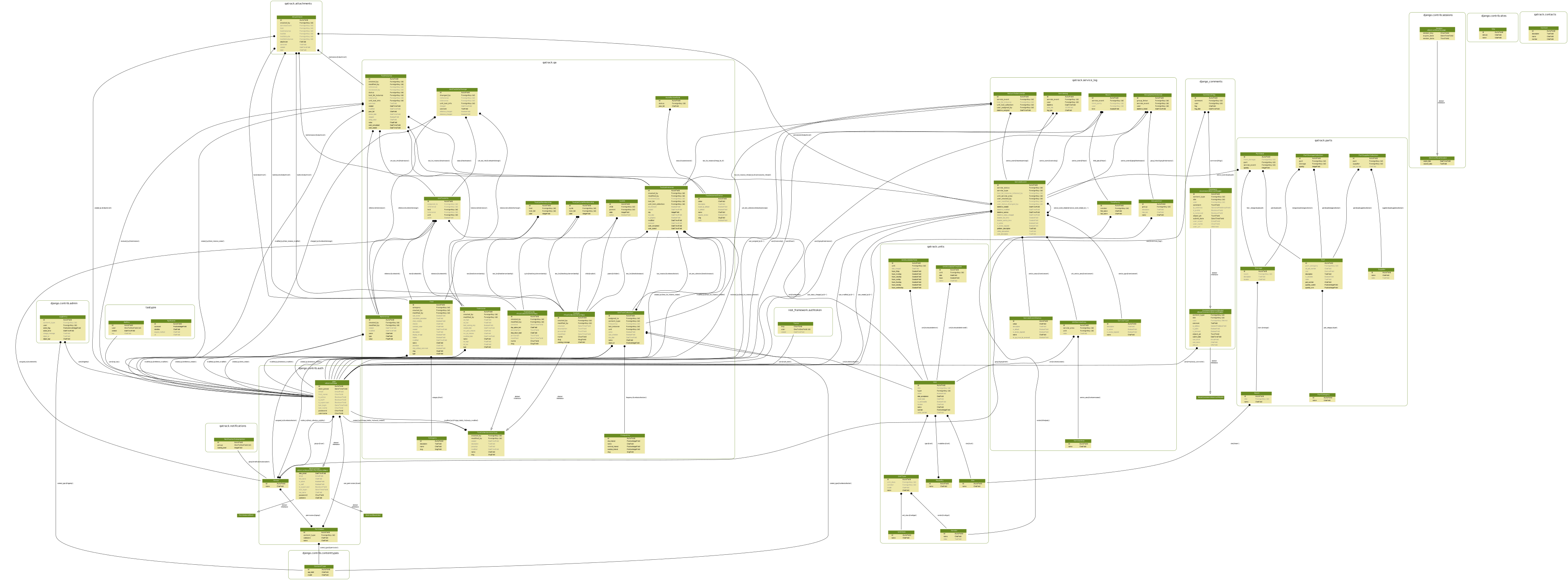
Below you will find the most recent database schema diagram generated for QATrack+ (v4.0). Older v3.1.0 and v0.3.0 diagrams are also kept for reference, further down this page.
The diagram is named for the minor line rather than a specific patch release, because the models are the same across every 4.0.z.

The QATrack+ v4.0 schema (click to view full size or right click and view in new tab to view full size)
This diagram is regenerated on demand (see Generating the schema diagram below) rather than on every release, so it may lag behind the current version - regenerate it if you need one that reflects the latest models.
Generating the schema diagram
Ubuntu
On Ubuntu 24.04 LTS you need to install a few dependencies before generating the schema diagram:
sudo apt install python3-dev graphviz libgraphviz-dev pkg-config
uv pip install pygraphviz
and then you can generate your schema with:
make schema
which will output the schema to docs/developer/images/qatrack_schema_$(SCHEMA_VERSION).svg - the minor version, so every 4.0.z writes qatrack_schema_4.0.svg.
Windows
It is also possible to generate a schema diagram on Windows using Sql Server Management Studio. See https://dataedo.com/kb/tools/ssms/create-database-diagram for instructions on making a diagram with SSMS.
Schema for Older Versions

The QATrack+ v3.1.0 schema (click to view full size or right click and view in new tab to view full size)
The QATrack+ v0.3.0 schema (click to view full size or right click and view in new tab to view full size)
Database diagrams for even older versions of QATrack+ are available on BitBucket: Schema diagrams.