Managing Users and Groups
Access to various QATrack+ features for users is defined based on which groups a user belongs to and which permissions have been assigned to their groups, or them specifically.
User Groups
User groups are useful for managing the permissions of many users at once. For example, you may have groups for Administrators, Physicists, Physics Technologists and Therapists (A user may belong to one or more groups) each with different permissions and different parts of QATrack+ accessible to them.
To define a new user group click on the Groups link from the main admin page and then click Add group on the top right hand corner of the next page. Give your group a name and then choose the permissions available to that group (permissions are described in more detail below). Once you are finished, click Save.
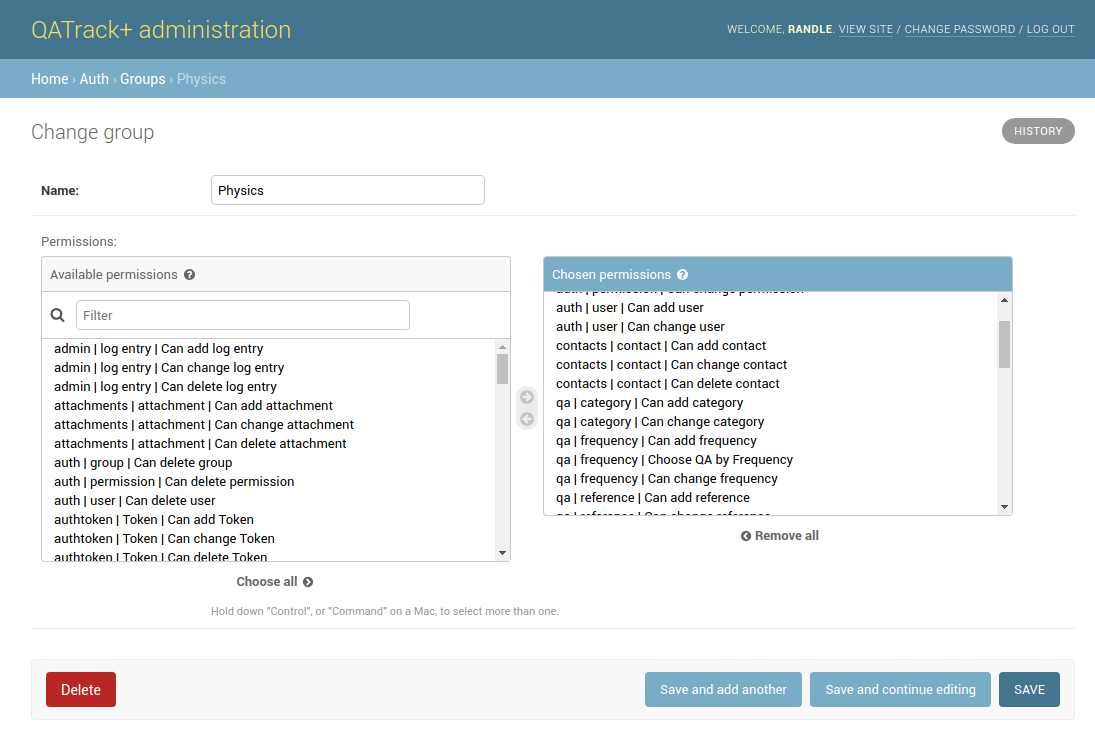
Creating a new group
Users
If you are using Active Directory for user authentication then new users will be automatically created the first time they log in. Otherwise if you are using the built in authentication system you will need to create users manually.
Creating a new user
From the main admin page click on the Users link under the Auth section and then click Add user. On the next page fill out the username and password fields. (The user will be able to change their password to something different on their own later). Click Save when you are finished.
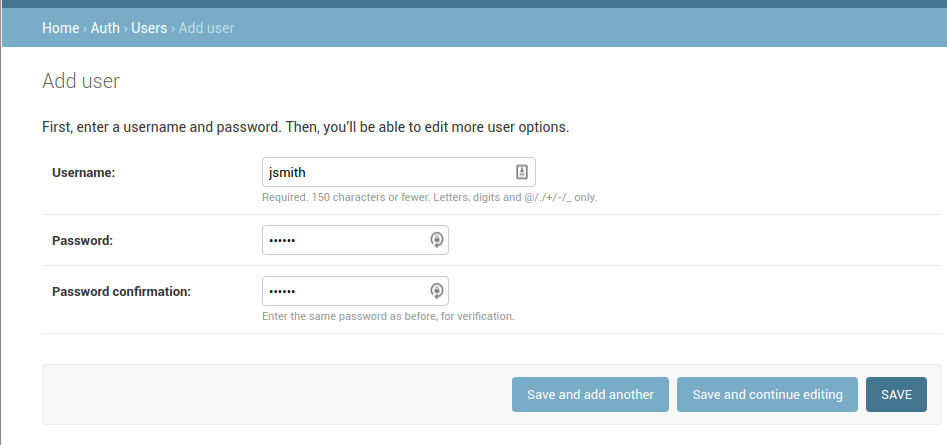
Creating a new user
On the next page you can fill out more details about the users including proper names, which groups the user belongs to and any permissions specific to that person (i.e. that are not already covered by the groups they are members of).
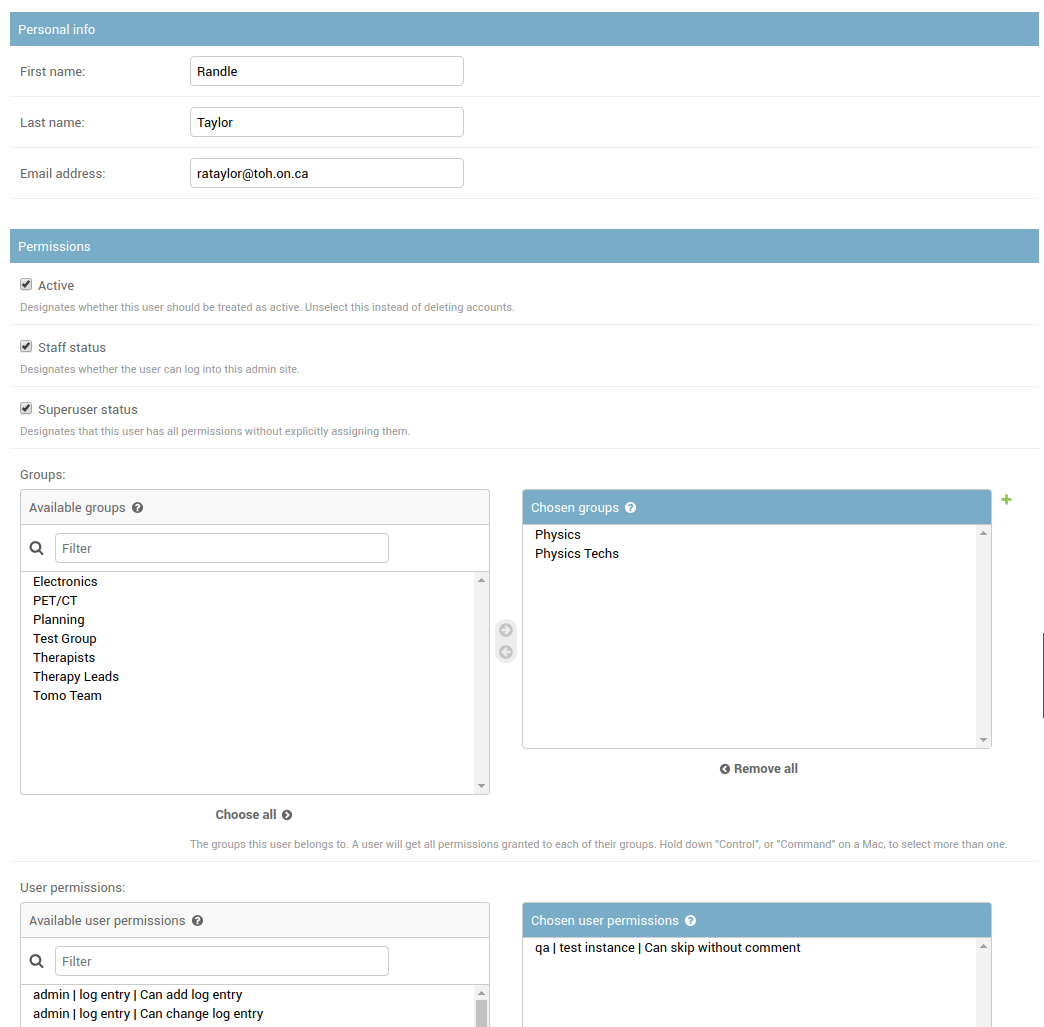
Creating a new user and setting permissions
Any user that has Staff Status checked on their user profile page will have access to the admin site.
A user with Superuser status checked will have all permissions granted to them without needing to explicitly specified.
Permissions
The easiest method of managing permissions is to grant specific permissions to a group and then make users part of that group. The user will inherit all the permissions of their groups and as such do not need to have them explicitly granted to them on their user profile page (that is, you can leave the Chosen user permissions box blank on most users profile page).
You will likely want to tweak the set of permissions your user groups are granted but example permission sets are given below to help you get started.
The most important permissions are described here and typical permission sets for groups are given below:.
qa | test instance | Can view test history Allows a user to view historical data alongside a test when performing a test list.
qa | test instance | Can view charts of test history Allows a user to plot charts of historical data
qa | test instance | Can review tests Allow a user to perform review & approval functions
qa | test instance | Can review & approve self-performed tests Allow a user to review their own test results (requires review permission as well)
qa | test instance | Can review non visible test list instances Allow a user to review test list instances that are not visible to any of their groups
qa | test instance | Can skip without comment Allows a user to skip tests without adding a comment
qa | test list instance | Can add test list instance Required for all users who will be performing QA
qa | test list instance | Can perform subset of tests Allows a user to perform only a subset of test categories when performing a test list
qa | test list instance | Can save in progress Allows a user to save test lists with the “In Progress” flag set
qa | test list instance | Can view previously completed instances Allows a user to view (but not edit) previously completed test lists
qa | test list instance | Can change test list instance Allows a user to edit previously completed test results
qa | frequency | Choose QA by Frequency Allows a user to access different frequencies of QA to perform
qa | test list instance | Can override date Enables a user to override the default date and time for a test list instance
qa | unit test info | Can view Refs and Tols Enables the display of reference and tolerance values when a user is performing a test list
qa | unit test collection | Can view program overview Allows a user to view the program overview page
qa | unit test collection | Can view TLI and UTC not visible to user’s groups Allows a user to view all Test Lists regardless of their groups
service_log | hours | Can have hours Allow tracking of users hours when involved with a Service Event
service_log | return to service qa | Can perform return to service qa Allow user to perform qa linked to service events
service_log | return to service qa | Can view existing return to service qa Allow user to view qa linked to service events
service_log | service event | Can create service events Allows user to create new service events
service_log | service event | Can view service events Allows user to view existing service events
service_log | service event | Can review service events Allows user to change status of service events to statuses with 'is review required = false'.
parts | part | Can add part Allows a user to enter new parts
parts | part | Can view parts Allows a user to view existing parts
Minimal set of permissions
A fairly minimal set of permissions for performing QA (e.g. for a therapist) is:
qa | test list instance | Can add test list instance
qa | test list instance | Can perform subset of tests (optional)
qa | test list instance | Can view previously completed instances (optional)
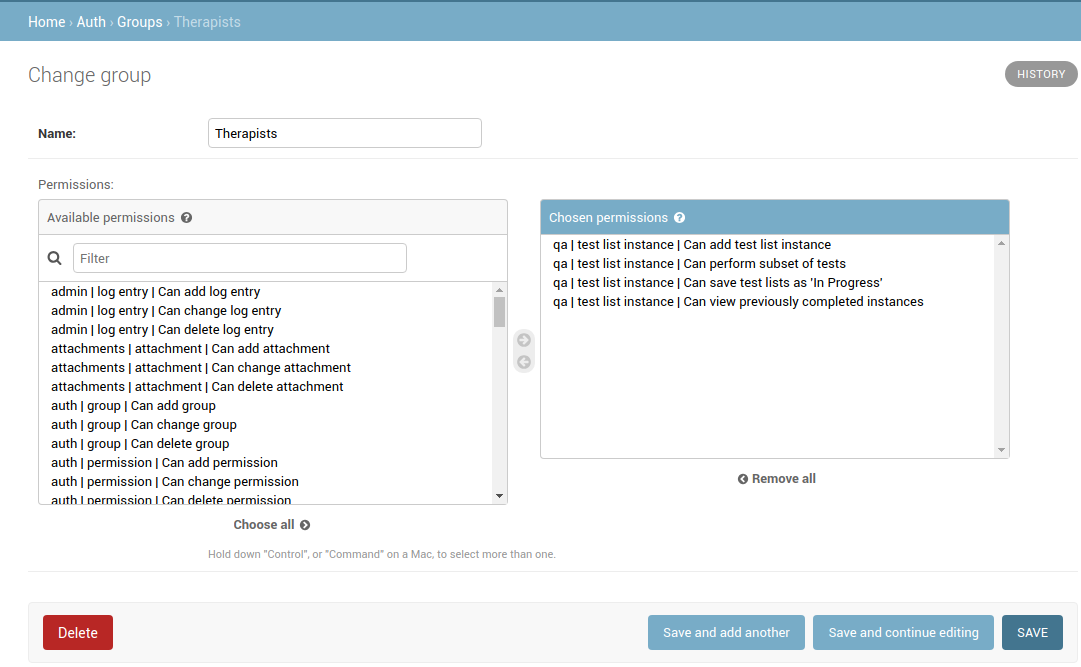
Minimal set of permissions
This set of permissions will allow a user to access and perform daily & weekly QA and optionally view previously comleted test lists.
Permissions for performing and viewing test history
For users who will be performing lots of QA but will not be reviewing and approving data or configuring new tests and test lists (e.g. a Physics Technologist), the list of permissions might look like the following:
qa | frequency | Choose QA by Frequency
qa | test instance | Can chart test history
qa | test instance | Can view test history
qa | test list instance | Can add test list instance
qa | test list instance | Can override date
qa | test list instance | Can perform subset of tests
qa | test list instance | Can view previously completed instances
qa | test list instance | Can change test list instance
qa | unit test info | Can view Refs and Tols
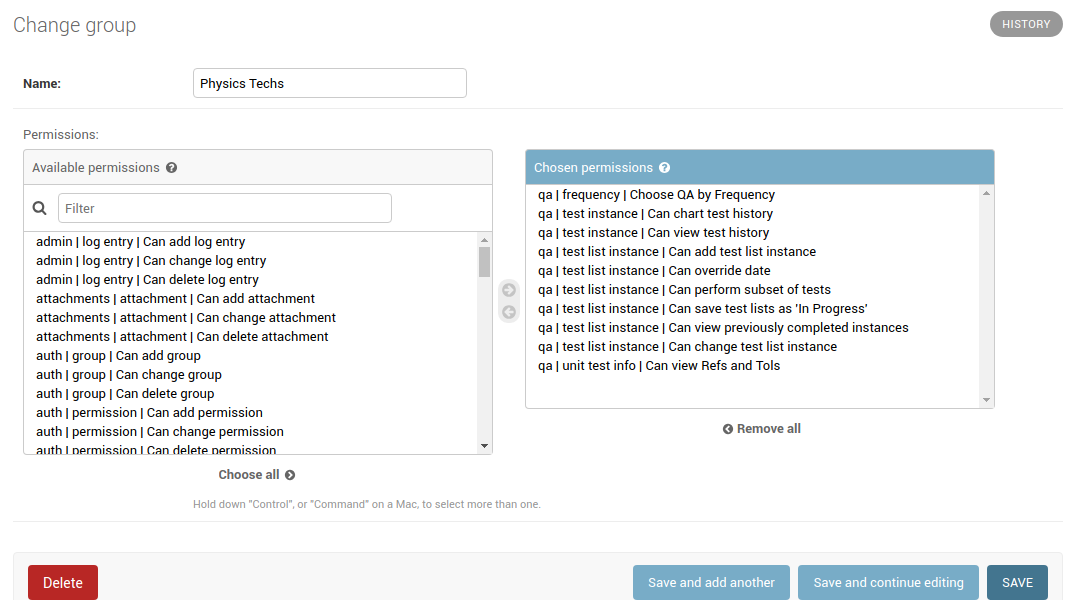
Physics Techs Permissions
Fairly complete set of permissions
For a user who will be performing QA, reviewing and approving data and configuring new tests and test lists and groups (e.g. a Physicist), a typical permission set might look like the following:
auth | group | Can add group
auth | group | Can change group
auth | permission | Can add permission
auth | permission | Can change permission
auth | user | Can add user
auth | user | Can change user
contacts | contact | Can add contact
contacts | contact | Can change contact
contacts | contact | Can delete contact
qa | category | Can add category
qa | category | Can change category
qa | frequency | Can add frequency
qa | frequency | Choose QA by Frequency
qa | frequency | Can change frequency
qa | reference | Can add reference
qa | reference | Can change reference
qa | test | Can add test
qa | test | Can change test
qa | test instance | Can add test instance
qa | test instance | Can review tests
qa | test instance | Can chart test history
qa | test instance | Can view test history
qa | test instance | Can change test instance
qa | test instance | Can delete test instance
qa | test instance | Can skip without comment
qa | test instance status | Can add test instance status
qa | test instance status | Can change test instance status
qa | test list | Can add test list
qa | test list | Can change test list
qa | test list cycle | Can add test list cycle
qa | test list cycle | Can change test list cycle
qa | test list cycle membership | Can add test list cycle membership
qa | test list cycle membership | Can change test list cycle membership
qa | test list cycle membership | Can delete test list cycle membership
qa | test list instance | Can add test list instance
qa | test list instance | Can override date
qa | test list instance | Can perform subset of tests
qa | test list instance | Can view previously completed instances
qa | test list instance | Can change test list instance
qa | test list instance | Can delete test list instance
qa | test list membership | Can add test list membership
qa | test list membership | Can change test list membership
qa | test list membership | Can delete test list membership
qa | tolerance | Can add tolerance
qa | tolerance | Can change tolerance
qa | unit test collection | Can add unit test collection
qa | unit test collection | Can change unit test collection
qa | unit test info | Can add unit test info
qa | unit test info | Can view Refs and Tols
qa | unit test info | Can change unit test info
service_log | hours | Can have hours
service_log | return to service qa | Can perform return to service qa
service_log | return to service qa | Can view existing return to service qa
service_log | service event | Can create service events
service_log | service event | Can view service events
service_log | service event | Can review service events
parts | part | Can add part
parts | part | Can view parts